
Download Computer Education MS Excel APK – MS Excel, computer education, tutorial, learning, Android app, free download, Excel formulas, data analysis, charts, beginner, advanced, mobile learning, step-by-step guide
Overview
Computer Education MS Excel is an Android application developed by MD. YOUNUS MEAH, designed to support computer education through structured learning of Microsoft Excel. The app serves as a digital tutorial tool for individuals seeking to build or enhance their proficiency in Excel, covering fundamental to advanced topics.
It is particularly suited for students, educators, and professionals who need accessible, on-the-go learning resources. The application focuses on practical knowledge, including Excel formulas, data analysis techniques, and chart creation, enabling users to apply skills in real-world scenarios such as academic projects, office tasks, or personal data management. The app’s free pricing model makes it widely accessible, especially in educational settings where cost is a concern.
It operates entirely on Android devices, allowing users to learn anytime and anywhere, regardless of access to a desktop computer. The developer did not provide additional information about the app’s background or development philosophy.
Key Features & Capabilities
- Comprehensive Tutorials – The app delivers structured lessons on MS Excel, from basic navigation to complex functions, presented in a clear, step-by-step manner.
- Excel Formula Instruction – Users can learn essential formulas such as SUM, AVERAGE, VLOOKUP, and IF statements, with practical examples for real-time application.
- Data Analysis Tools – The app includes guidance on organizing, filtering, and interpreting data, supporting users in making informed decisions from spreadsheets.
- Chart Creation Guidance – Step-by-step instructions help users visualize data using various chart types, improving data communication and presentation skills.
- Beginner to Advanced Content – Designed for all skill levels, the app accommodates users new to Excel as well as those looking to refine advanced techniques.
- Mobile Learning Accessibility – As an Android-based application, it enables learning on smartphones and tablets, ideal for users without constant access to a PC.
These features collectively support users in mastering Excel functionalities through interactive, self-paced learning. The app’s educational focus ensures that learners can reinforce concepts through repetition and practical exercises, making it a valuable supplement to formal computer education.
User Interface, Workflow & Performance
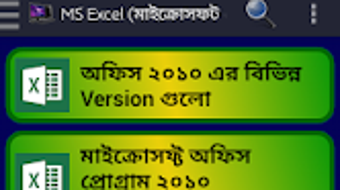
The app features a user-friendly interface optimized for mobile screens, with intuitive navigation that allows users to access lessons with minimal effort. Content is organized into logical sections, enabling smooth progression from basic to advanced topics. The workflow is designed to support self-directed learning, with clear headings, concise text, and visual aids where applicable.
While the developer did not specify performance metrics, the app’s 12.5 MB size suggests efficient resource usage, likely contributing to stable operation on a wide range of Android devices. No reported issues with crashes or lag were mentioned. The developer did not provide details about CPU or RAM behavior during operation.
Performance observations are based on general software behavior patterns for similar educational apps. Overall, the interface prioritizes clarity and ease of use, ensuring that users of all ages and technical backgrounds can engage with the material effectively.
Compatibility & System Requirements
Computer Education MS Excel is designed for Android operating systems. The app is available in version 1.0 and has a file size of 12.5 MB. It is intended for use on Android smartphones and tablets.
The developer did not specify minimum OS version or hardware requirements. Compatibility information was partially provided. Users are advised to ensure their device supports Android applications and has sufficient storage space for installation.
Exact system requirements were not listed. The app does not require a constant internet connection, allowing offline access to tutorial content once downloaded.
Pros and Cons
Pros
- Free to download and use, making it accessible to a broad audience.
- Comprehensive coverage of MS Excel topics from beginner to advanced levels.
- Designed for mobile learning, enabling education on the go.
- Clear, step-by-step instructions enhance understanding and retention.
- Small file size ensures minimal storage impact.
- Offline functionality allows learning without internet access.
Cons
- Only available on Android, limiting use on other platforms.
- No information on interactive exercises or quizzes to reinforce learning.
- Developer did not provide details on update frequency or future feature plans.
- Performance details, such as RAM or CPU usage, were not specified.
- Interface details beyond basic navigation were not described.
FAQ Section
Is Computer Education MS Excel available for free?
Yes, the app is completely free to download and use, with no in-app purchases or subscription fees.
What Android devices can run this app?
The app is compatible with Android smartphones and tablets. Specific device requirements were not provided by the developer.
Can I use this app offline?
Yes, once installed, the app allows access to tutorial content without an internet connection.
Does the app include interactive exercises?
The developer did not specify whether the app includes interactive quizzes or hands-on practice modules.
Is the app updated regularly?
Information about update frequency was not provided by the developer.
Final Thoughts
Computer Education MS Excel stands out as a practical, accessible tool for anyone looking to improve their Excel skills using an Android device. Its structured tutorials, focus on real-world applications, and free availability make it a strong choice for students, professionals, and lifelong learners. While it lacks advanced features like interactive assessments or cross-platform support, its core functionality is well-executed and focused on education.
The app’s lightweight design and offline access enhance its usability in diverse environments. For users seeking a reliable, no-cost resource to learn MS Excel on mobile, this app delivers significant value. Download Computer Education MS Excel now.





.png)

